Effective Strategies for Personalized Video Email Campaigns: A Practical Guide for Sales Teams
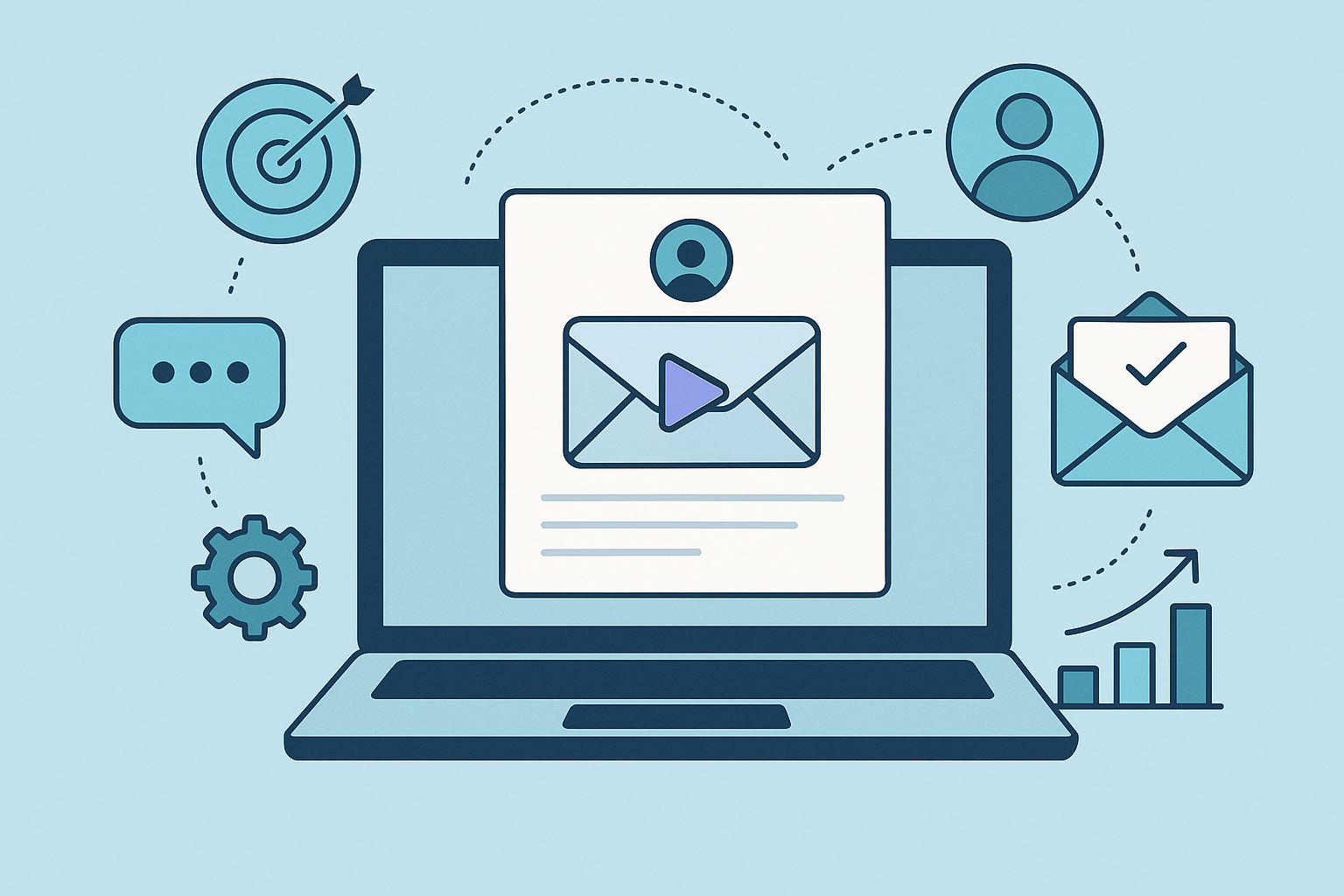
Effective Strategies for Personalized Video Email Campaigns: A Practical Guide for Sales Teams
Introduction: Why personalized video emails matter for sales outreach
Personalized video email campaigns are one of the most powerful ways for sales teams to cut through inbox noise, build rapport, and accelerate conversations. When executed correctly, a short, tailored video can boost open rates, click-throughs, and replies by creating a human connection that static text rarely achieves. This guide outlines effective strategies for personalized video email campaigns with a practical, implementation-first focus for SDRs, account executives, and revenue leaders.
Key benefits at a glance:
- Higher open and reply rates compared to text-only outreach
- Faster qualification and more booked meetings
- Clearer message delivery (demo, value props, objections)
- Stronger brand differentiation and perceived effort
- Measurable impact with CRM and tracking integrations
7-Step implementation tutorial: From planning to tracking
This step-by-step flow is designed to implement effective strategies for personalized video email campaigns quickly and reproducibly.
-
Step 1 - Plan your target segments and goals
Define the segments (industry, role, ARR, product usage) and the campaign objective (book demos, increase upgrades, win-back). Set baseline metrics to compare against (current open, reply, meeting rates).
-
Step 2 - Script and structure your short video
Keep videos 30-90 seconds. Use a simple 3-part structure: greeting + one tailored insight + specific next step. Prepare a 1-2 sentence opening that references a personalization variable (company name, recent event).
// Example 40-60s script Hi [FirstName], I'm [YourName] from [Company]. I noticed [personalized insight]. In 30 seconds: here's how we help [benefit]. If you'd like, I can show a quick ROI example - are you free for 15 minutes on [2 suggested times]? -
Step 3 - Record with consistent quality and thumbnails
Use a clean background, good lighting, and headset or lapel mic. Record multiple takes and pick the most natural. Create a compelling thumbnail that shows eye contact and a short overlay headline.
Thumbnail best practice: a still of you pointing to text or smiling with a 3-5 word overlay (e.g., "Quick idea for [Company]").
-
Step 4 - Personalization variables and dynamic tokens
Map personalization tokens from your CRM: first name, company, recent event, product usage note, or pain point. Use tokens conservatively-one or two per message for authenticity. Always preview emails to ensure tokens resolve.
-
Step 5 - Integrate with email and CRM
Embed videos as animated thumbnails linking to hosted players (avoid large attachments). Ensure video view events and link clicks write back to the CRM (custom fields or activity logs). Configure UTM parameters for campaign attribution.
vimail.io integration note: Use vimail.io to host video previews and capture play events. Sync play and click events to your CRM using available native integrations or webhooks so play = CRM activity.
-
Step 6 - Automate sequences with human touches
Build sequences where the initial touch is a personalized video, followed by short text reminders that reference the video. Add conditional branches: if video played but no reply → follow up with new value add; if not played → resend with adjusted subject/thumbnail.
-
Step 7 - Track, analyze, and iterate
Monitor opens, video plays, play-through rate, CTR, replies, and meetings booked. Compare campaigns to baseline and run A/B tests on subject lines, thumbnails, and video length. Log outcomes in the CRM for attribution and coaching.
10 actionable tips & best practices checklist
Use this checklist to ensure consistent execution across reps and campaigns.
- Subject line best practice: Keep it personalized and curiosity-driven (see suggestions below).
- Thumbnail: Use a readable overlay headline and a close-up face shot.
- Length: Aim for 30-60 seconds for top-of-funnel, up to 90 seconds for complex offers.
- Opening: Use the prospect's name and a one-line relevance hook within the first 3 seconds.
- Call-to-action: Offer two concrete next steps (e.g., 15-min demo or calendar times).
- Personalization tokens: Limit to 1-2 tokens; use meaningful insights rather than bland company names.
- Compliance: Ensure opt-out language and respect regional email rules; never misrepresent the content.
- Mobile optimization: Use thumbnails and player that work on mobile browsers and ensure captions are available.
- Measure micro-conversions: Track plays, play-through, and CTA clicks, not just opens.
- Rep coaching: Review top-performing takes and create a library of templates for scalability.
Suggested subject lines
- Quick idea for [Company]
- [FirstName], 30 seconds on [pain point]
- For [FirstName] - a quick ROI note
- Seeing [recent event] at [Company] - one thought
Suggested short email script (with embedded thumbnail)
Hi [FirstName],
I recorded a 45-second idea specific to [Company]. Click the thumbnail to watch - I cover one concrete way to [solve pain point].
[Thumbnail image with play link to video]
If this is helpful, I can show a quick ROI example-are you free for 15 minutes on Tuesday or Wednesday?
Best,
[YourName]
Measuring ROI: KPIs, instrumentation, and calculation templates
To prove impact, define KPIs and instrument tracking from day one. Below are recommended KPIs and a simple ROI template you can plug numbers into.
Primary KPIs to track
- Open rate - indicates subject line effectiveness
- Click-through rate (CTR) - thumbnail clicks to player
- Play rate - percentage of clicks that play the video
- Play-through rate - percent watch to 75-100%
- Reply rate - replies generated
- Meetings booked - number of demo/qualification calls
- Conversion rate - meetings to closed deals
- Lifetime value (LTV) - average revenue per customer
How to instrument tracking
- Embed UTM parameters on video landing links for campaign-level analytics.
- Use the video host (e.g., vimail.io) to capture play events and send webhooks to your CRM.
- Write play and click events to contact activity fields in your CRM for easy segmentation.
- Create dashboards that tie: campaign → plays → replies → meetings → closed deals.
Simple ROI calculation templates
Template 1 - Campaign ROI (conservative)
// Inputs:
Number of emails sent = S
CTR (thumbnail clicks) = c (decimal)
Play rate (of clicks) = p
Meetings booked per play = m
Win rate from meetings = w
Average deal value = V
Campaign cost (time, tools) = Cost
// Calculations:
Plays = S * c * p
Meetings = Plays * m
Deals = Meetings * w
Revenue = Deals * V
ROI = (Revenue - Cost) / Cost
Example (plug-in): S=1,000; c=0.12; p=0.8; m=0.05; w=0.20; V=$25,000; Cost=$3,000 Plays = 1,000 * 0.12 * 0.8 = 96 Meetings = 96 * 0.05 = 4.8 ≈ 5 Deals = 5 * 0.2 = 1 Revenue = $25,000 ROI = ($25,000 - $3,000)/$3,000 = 7.33 (733%)
Template 2 - Cost-per-meeting and lift versus baseline
Cost-per-meeting = Cost / Meetings
Lift in meetings = (Meetings_video - Meetings_baseline) / Meetings_baseline
Track these metrics over multiple campaigns to calculate incremental value attributable to video personalization.
Three real-world case studies for sales teams
Below are anonymized, practical scenarios showing how personalized video improved outreach performance.
Case Study A - Mid-market SDR team (SaaS security)
Background: 8-person SDR team with inefficient cold outreach and low reply rates (baseline reply 4%).
Approach: Each SDR sent 200 personalized video emails highlighting a specific vulnerability discovered via public blog posts. Videos were 45 seconds, included thumbnail overlay “Vulnerability I noticed at [Company]”.
Metrics before/after:
- Reply rate: 4% → 11% (+175%)
- Meetings booked per 200 emails: 2 → 6 (+200%)
- Average deal size remained stable
Lessons learned: Focused, research-driven personalization works. The team standardized a 3-line research template to scale the approach.
Case Study B - Account executive upsell campaign (SaaS analytics)
Background: Account team wanted to increase expansion conversations in existing accounts where usage dipped.
Approach: AEs recorded 60-90 second videos calling out usage trends and proposing a specific action plan; videos included captions and a mini-screen-share of a dashboard snapshot.
Metrics before/after:
- Open rate: 25% → 42%
- Reply rate (expansion interest): 3% → 14%
- Closed-won expansion rate: 6% → 12%
Lessons learned: Combining data-driven insight with a human explanation increases trust and speeds decision-making. Screen snippets in the thumbnail improved play rate.
Case Study C - Enterprise outbound (hardware vendor)
Background: Small enterprise sales team targeting CIOs with a long sales cycle and low email engagement.
Approach: Personalized video used by senior AE as a follow-up to an initial intro email. Videos emphasized strategic outcomes, included executive-level ROI bullets, and ended with two calendar options.
Metrics before/after:
- Open-to-meeting conversion: 0.6% → 2.5%
- Average time-to-meeting reduced by 22%
- Win rate on opportunities influenced by video increased modestly (from 18% to 22%)
Lessons learned: Executive-level personalization (C-suite messaging from AEs) is effective; keep videos concise and outcome-focused.
Scaling, A/B testing strategies, recommended tools, SEO & formatting guidance, and final notes
This section covers how to scale and test your video campaigns, tool recommendations including vimail.io notes, SEO considerations for your content, and a short wrap up.
Scaling & workflow
- Centralize templates and approved thumbnails in a shared library for reps.
- Use batching: record 10-20 personalized videos in a session to increase efficiency.
- Implement quality control: a campaign lead reviews 10% of outgoing videos weekly.
A/B testing roadmap
- Test subject lines first: measure open rate lift.
- Test thumbnail overlay vs no overlay: measure CTR and play rate.
- Test video length (30s vs 60s) and script variations for play-through and reply rate.
- Use statistical significance thresholds before rolling changes team-wide.
Recommended tools (including vimail.io integration notes)
- Video hosting & play analytics: vimail.io (use to capture play events and produce thumbnail players)
- CRM: map play/click activity to contact records (custom activity fields)
- Sequence automation: ensure conditional steps based on play or no-play
- Dashboards: BI tools or CRM dashboards to tie plays to pipeline and revenue
vimail.io notes: Configure event webhooks to sync plays and play-through percentage into your CRM. Use the platform to generate embeddable thumbnails and captions for accessibility.
SEO and content formatting guidance for public-facing posts
- Meta title: Include the primary phrase - e.g., "Effective Strategies for Personalized Video Email Campaigns | [Company]".
- H2/H3: Use descriptive H2s (as in this post) and H3s for subsections to help search engines and readers.
- Keywords: Naturally use "effective strategies for personalized video email campaigns" in title, intro, several H2/H3s, and alt text.
- Internal links: Link to related resources (playbooks, product pages) where relevant; use descriptive anchor text.
- Alt text: Describe thumbnails and video images (e.g., "Thumbnail: [YourName] pointing at text 'Quick idea for [Company]')".
Metric-tracking CSV template (copy into your analytics tool)
campaign,send_date,sent,opens,clicks,plays,play_through_75pct,replies,meetings_booked,deals_closed,revenue,cost
video_outreach_q2,2026-05-01,1000,420,120,96,72,14,5,1,25000,3000
Final notes and a simple CTA
Personalized video email campaigns are a high-use tactic when grounded in research, consistent execution, and reliable measurement. Consider trying this approach on a small segment, instrumenting plays and outcomes, and iterating based on data.